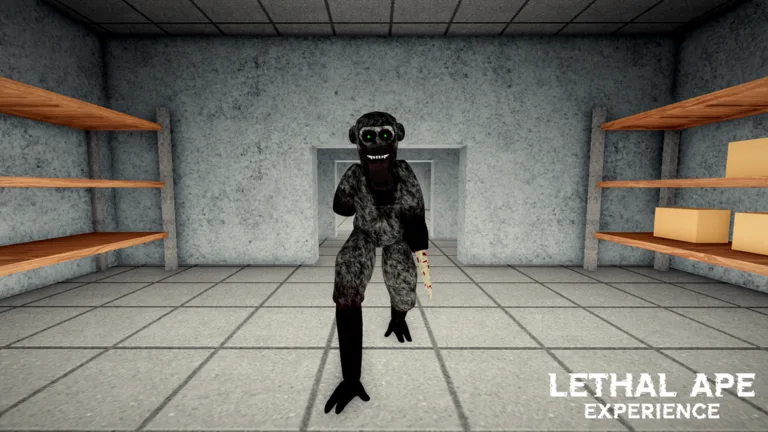
How to Become Every Monkey in Lethal Ape Experience: Halloween Guide
Learn how to master transformations in Lethal Ape Experience for Roblox. Discover the steps to unlock various ape forms and survive the lab this Halloween.
Published: Lethal Ape Experience Wiki Editorial Team
Table of Contents
Mastering Ape Transformations in Lethal Ape Experience
In the high-stakes environment of Lethal Ape Experience on Roblox, your ability to transform is more than just a cosmetic change—it is a critical survival tool. Whether you are navigating the chilling corridors of the lab or evading the terrifying monsters lurking in the shadows, choosing the right "ape" form can dictate your success. This guide breaks down the core mechanics of how to evolve and become different monkeys, especially during seasonal updates like the Halloween event.
To begin your journey, ensure you are playing the official Lethal Ape Experience developed by Breet Studios. Players often confuse this with other similarly named titles, but staying within the official universe is essential for accessing the latest character skins and seasonal transformations.
How the Transformation Mechanic Works
Unlike standard RPGs where you might select a character from a menu before starting, Lethal Ape Experience integrates transformation directly into its survival gameplay. You typically start as a base-model ape and progress by completing objectives or surviving rounds.
Enter the Lab: Join a public or private server via the official game page.
Complete Survival Objectives: Focus on the primary goal—escaping the monsters. Efficient survival rewards you with points or currency.
Access the Evolution/Store Menu: Once you have gathered sufficient in-game resources, navigate to the "Store" or "Characters" tab located in the main game UI.
Select Your Transformation: Browse the available list of monkeys. If an event is active (such as the Halloween celebration), you will often find limited-time "Spooky" or "Halloween" variants listed here.
Apply and Equip: Click the specific monkey you wish to embody. The change usually takes effect upon your next respawn or immediately, depending on the current game mode.
Seasonal Transformations and Halloween Specials
During the Halloween season, the developers at Breet Studios frequently introduce thematic content. Community reports suggest that these updates are the most common time to find unique, "limited edition" monkey skins that are not available at other times of the year.
Tip
Always check the "Store" or "Updates" board inside the game lobby when you first join. Developers often place signs or interactive NPCs that provide hints on how to unlock the newest seasonal transformations.
If you are struggling to find a specific look, prioritize collecting in-game tokens during the Halloween event. Often, these special transformations require a higher amount of currency than standard models, reflecting their rarity.
Tips for Survival While Transformed
Once you have mastered the art of becoming different monkeys, remember that your form should match your playstyle. Some monkeys may move faster, making them ideal for "Escape" modes, while others might offer better stealth capabilities, which are crucial for "Survival" modes where staying out of sight is the key to life.
Test Speed: Try a new transformation in a low-stakes area first to gauge its movement speed.
Monitor Sound: Some larger monkey models may be louder or more visible to monsters—be aware of this trade-off.
Coordinate with Friends: If playing with a group, having diverse monkey types can help you cover different roles, such as scouting or distracting the monsters.
Troubleshooting Common Transformation Issues
If you find yourself unable to transform or the "Store" menu is not responding, consider these common community-reported fixes:
Server Lag: Sometimes, if a server is crowded, menu interactions may lag. Try rejoining a different server instance.
Resource Requirements: Ensure you have actually met the requirements for the transformation. Many players overlook the "Won Ever" or "Rarity" stats required to unlock specific high-tier monkeys.
Official Client Check: Ensure you are not accidentally playing a different game with a similar name. Always verify the developer is Breet Studios via the official Roblox link.
FAQ: Frequently Asked Questions
Do Halloween transformations disappear after the event ends?
Usually, unlocked skins remain in your collection, but they may become unavailable for purchase once the event concludes. Secure your favorites while the seasonal update is live.
How do I get more currency for transformations?
Focus on completing the objective-based tasks rather than just running away. Surviving longer and successfully escaping the lab provides the highest yield of currency.
Can I change my monkey mid-game?
Generally, you must wait until you are back in the lobby or after you have been eliminated to change your transformation. Switching mid-round is usually disabled to maintain game balance.